
Progressive Web Apps (PWAs) in 2025 — Why I Still Build Them
August 20, 2025
 Ashish Gogula
August 20, 2025
Ashish Gogula
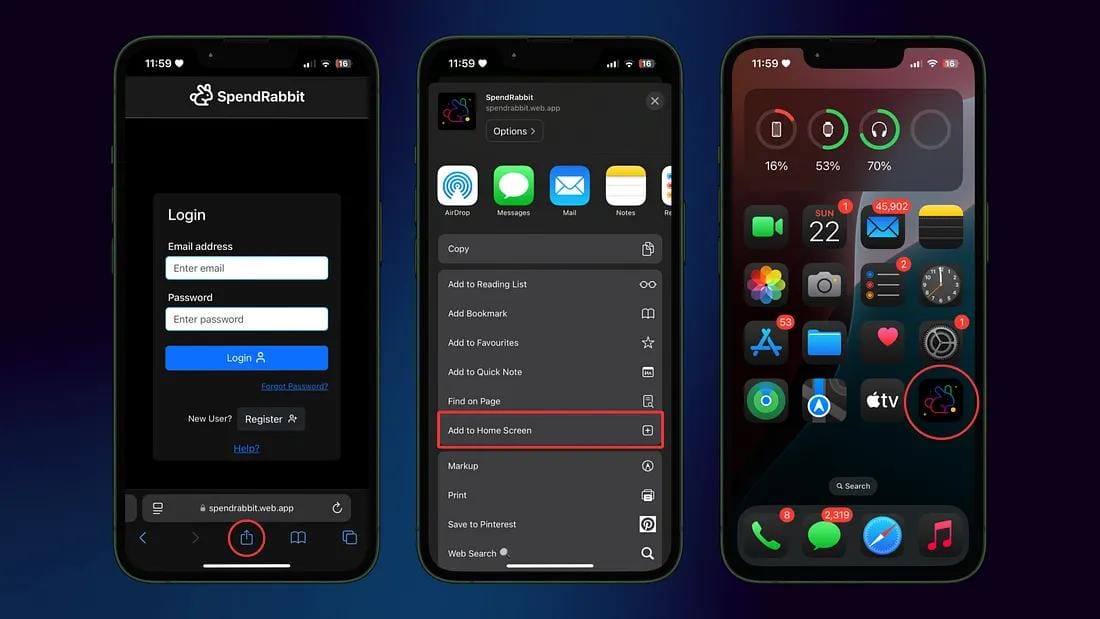
You know that moment when you open a website and it suddenly says:
“Add me to your home screen!”
You tap it, and BOOM 💥 — it now feels like a real mobile app.
That’s the magic of a Progressive Web App (PWA).

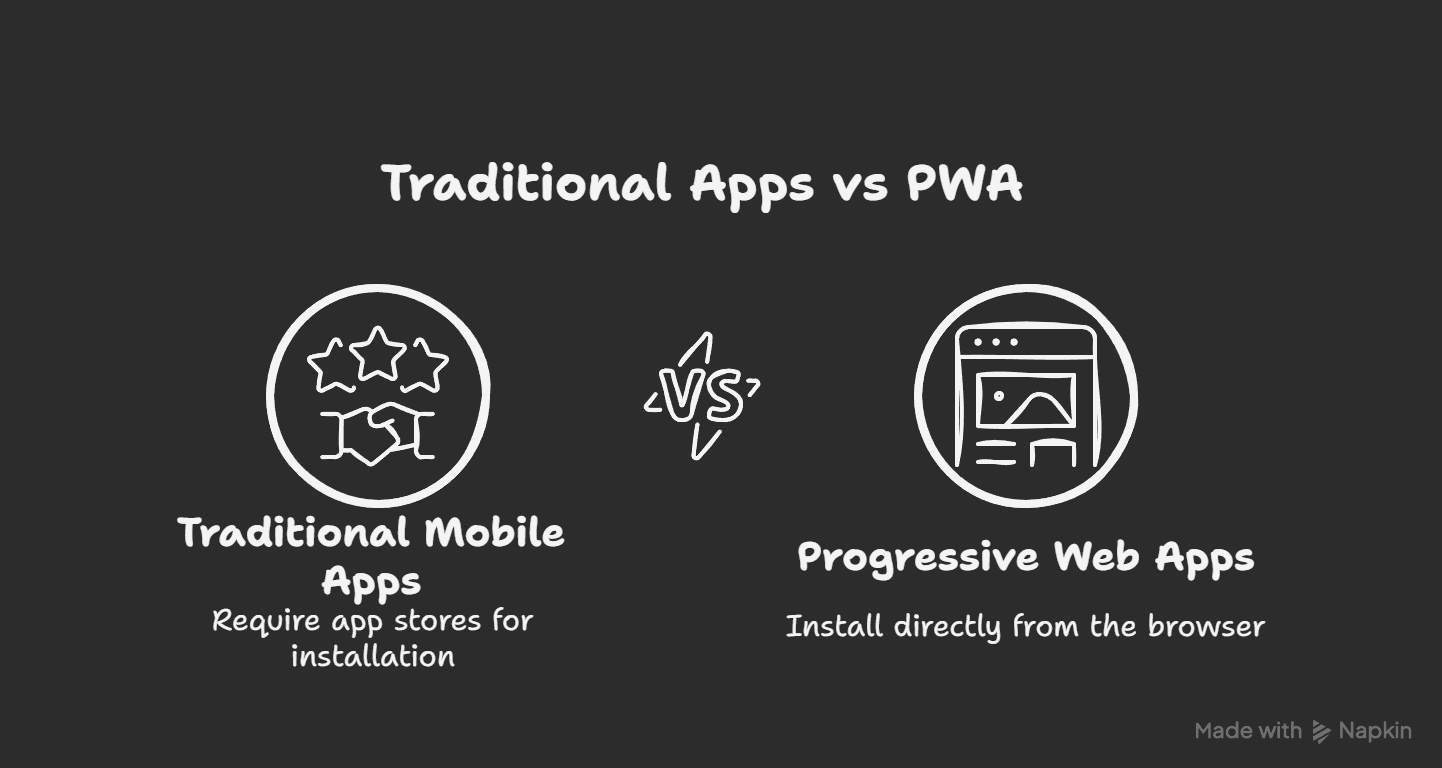
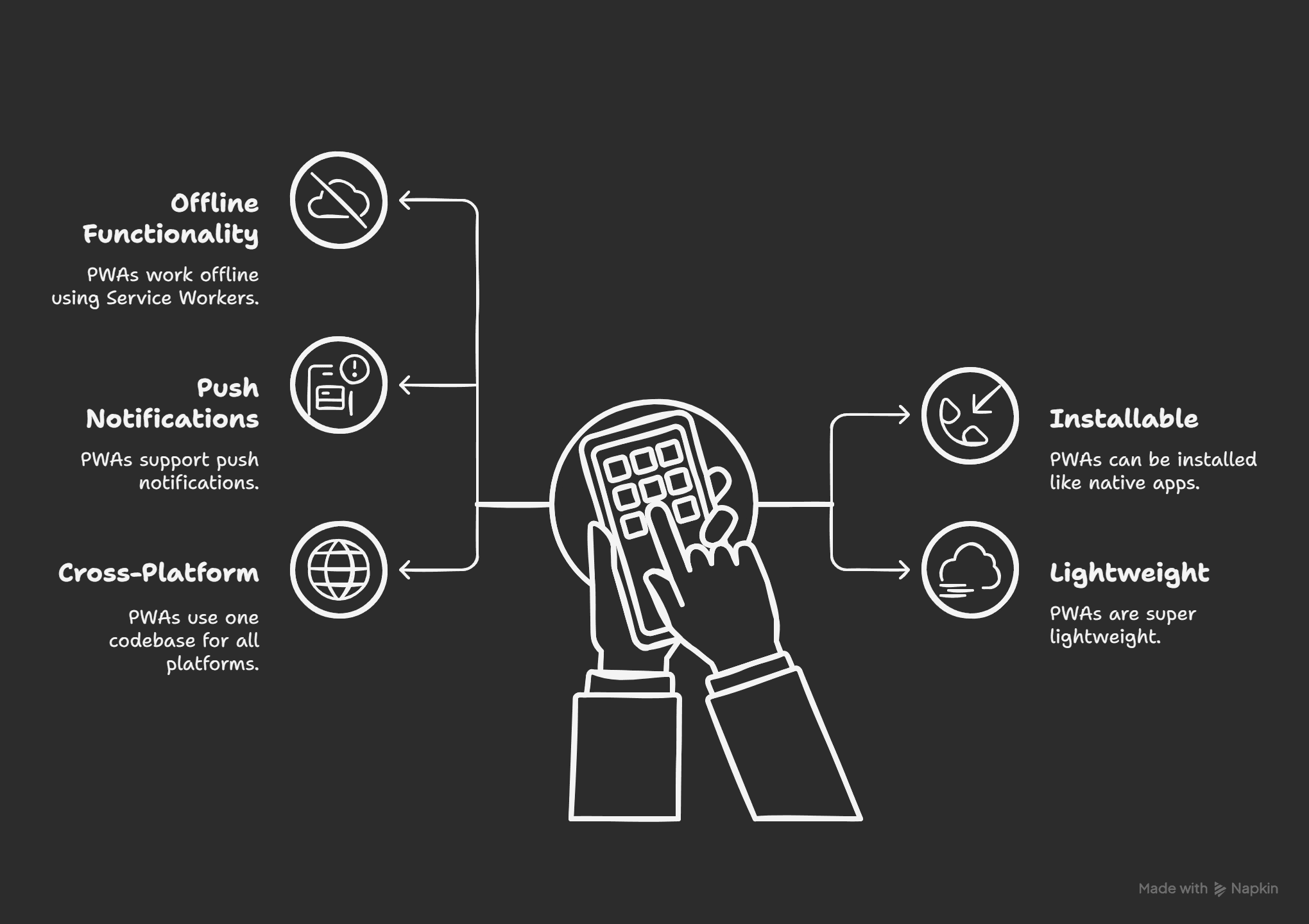
A Progressive Web App (PWA) is just a website that behaves like a mobile app.
You don’t need the Play Store or App Store. Users can simply install it directly from the browser.
Think: “Websites with superpowers.”
I’ve built a couple of PWAs myself:
Tap the App Name to open
QuotesGlow (opens in new tab)→ Motivational quotes, works offline, installable on mobile.
SpendRabbit (opens in new tab) → Track your expenses & install it as a mini app.
Here’s the flow (with my app as example):
Step 1 → Install the PWA plugin
npm install next-pwaStep 2 → Configure it in next.config.js
const withPWA = require("next-pwa")({
  dest: "public",
  register: true,
  skipWaiting: true,
});

module.exports = withPWA({
  reactStrictMode: true,
});
Step 3 → Add a manifest.json file in /public
{
  "name": "My PWA App",
  "short_name": "PWA",
  "start_url": "/",
  "display": "standalone",
  "background_color": "#ffffff",
  "theme_color": "#000000",
  "icons": [
    {
      "src": "/icon-192.png",
      "sizes": "192x192",
      "type": "image/png"
    }
  ]
}
Step 4 → Build & deploy. Done ✅
Now your app is installable and works offline! 🎉
PWAs may not be “hype” anymore, but they’re still relevant in 2025.
And honestly, I love building them because they give me native-like experiences from just a website.
Oh, and here’s a cool bonus 👉 you can even publish PWAs on the Google Play Store or iOS App Store using tools like Trusted Web Activity (TWA) for Android or Safari’s Web App support on iOS. 🚀
So the next time someone asks “Do PWAs still matter?” — just point them to SpendRabbit, QuotesGlow… or this blog.
If it helped you understand the role better, that means the job’s halfway done. Feel free to pass it along to someone exploring this path.